Settings
Everything is changed on the Settings page and stored on the server in data/settings/, so every browser on the PC sees the same settings.
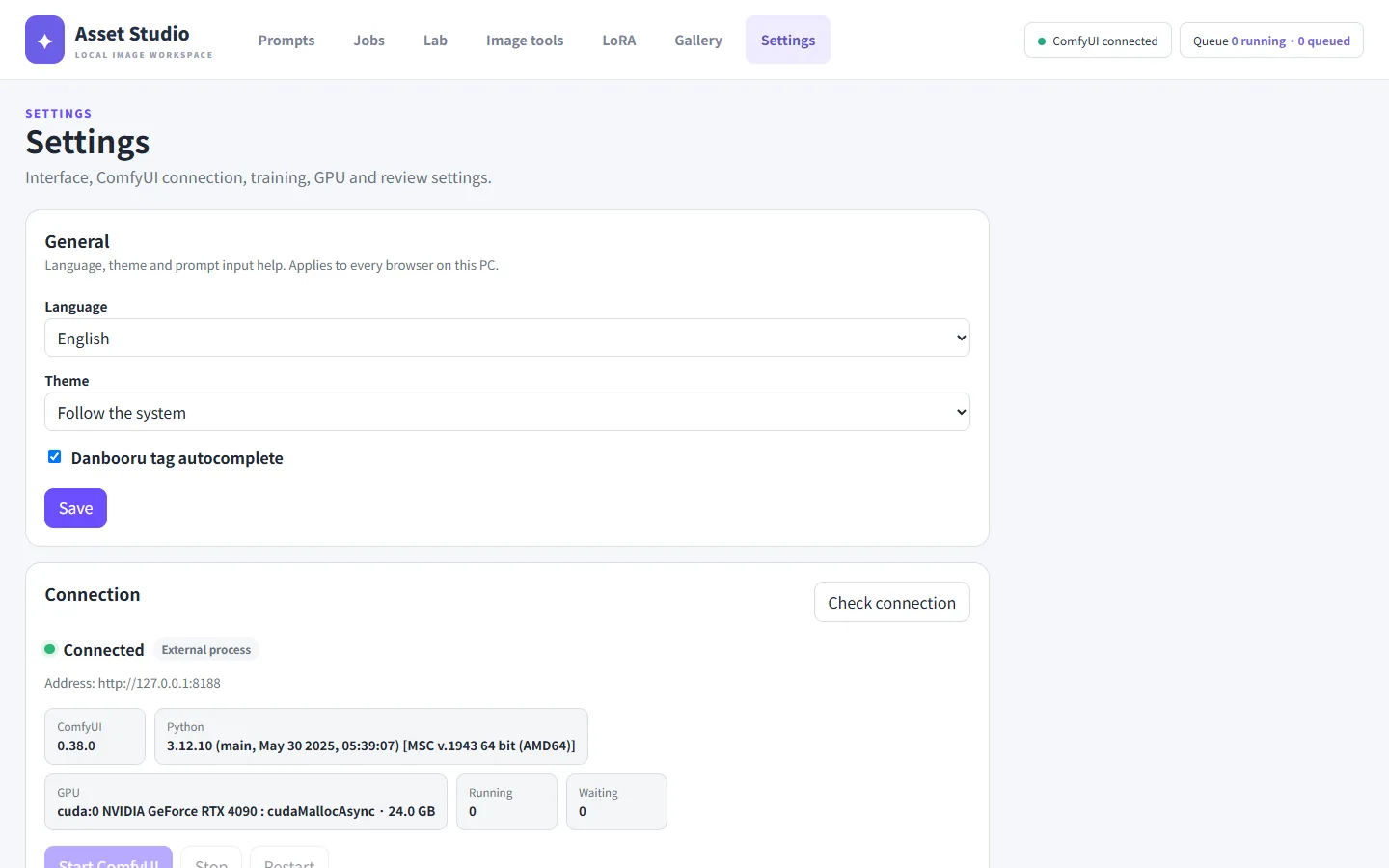
General
- Language: 한국어, English, 日本語, 简体中文. "Follow the browser" is the default.
- Theme: light, dark or follow the system.
- Danbooru tag autocomplete: turns autocomplete in prompt fields on or off.
Connection · ComfyUI connection
- Connection: shows the ComfyUI version, Python, GPU and the running and queued jobs.
- Local ComfyUI address: default
http://127.0.0.1:8188. - Find automatically: lists the ComfyUI installs on this PC (the running one, Stability Matrix, portable, git). Use this install fills in the fields; check them and press Save settings.
- With the ComfyUI folder and Python executable filled in, this page can start, stop and restart ComfyUI. While images are being generated, stop and restart wait for the current job. A ComfyUI started elsewhere shows as an "external process" and cannot be stopped here.
Danbooru tag data
Where the tag files for autocomplete and tag checks are. They are found automatically when ComfyUI-EasyUseAnima is installed.
LoRA training
The trainer (anima_lora) folder and its Python, the folder trained LoRAs are copied to, and the model files to train on (official Anima base, generation model). Each path shows whether the file was found. For installing the trainer, see the README's LoRA training.
Find in ComfyUI fills the LoRA output folder with a LoRA folder ComfyUI uses (its anima subfolder when there is one).
ComfyUI custom nodes are installed at the tested versions by tools/install_comfy_nodes.py; see the README's Install.
GPU use · GPU wait rules
Asset Studio takes turns so that generation, tagging, post-processing, LoRA training and VLM review never use the GPU at the same time.
- GPU use: shows who is using the GPU. A reservation left by an outside program can be released here.
- GPU wait rules: for each kind of work, how much free GPU memory is needed before it starts, and which programs make it wait while they run. Useful when you game or use other generation tools at the same time.
VLM server · VLM review (optional)
With a local vision-language model server (for example LM Studio), generated images get an automatic advisory verdict. It is off by default.
- VLM server: address, model and the commands that load and unload the model.
- Use VLM review: shows VLM verdicts in the gallery and regenerates failed images with a new seed up to Max automatic regenerations times.
- People always make the final call; the VLM verdict is advisory.