Gallery and review
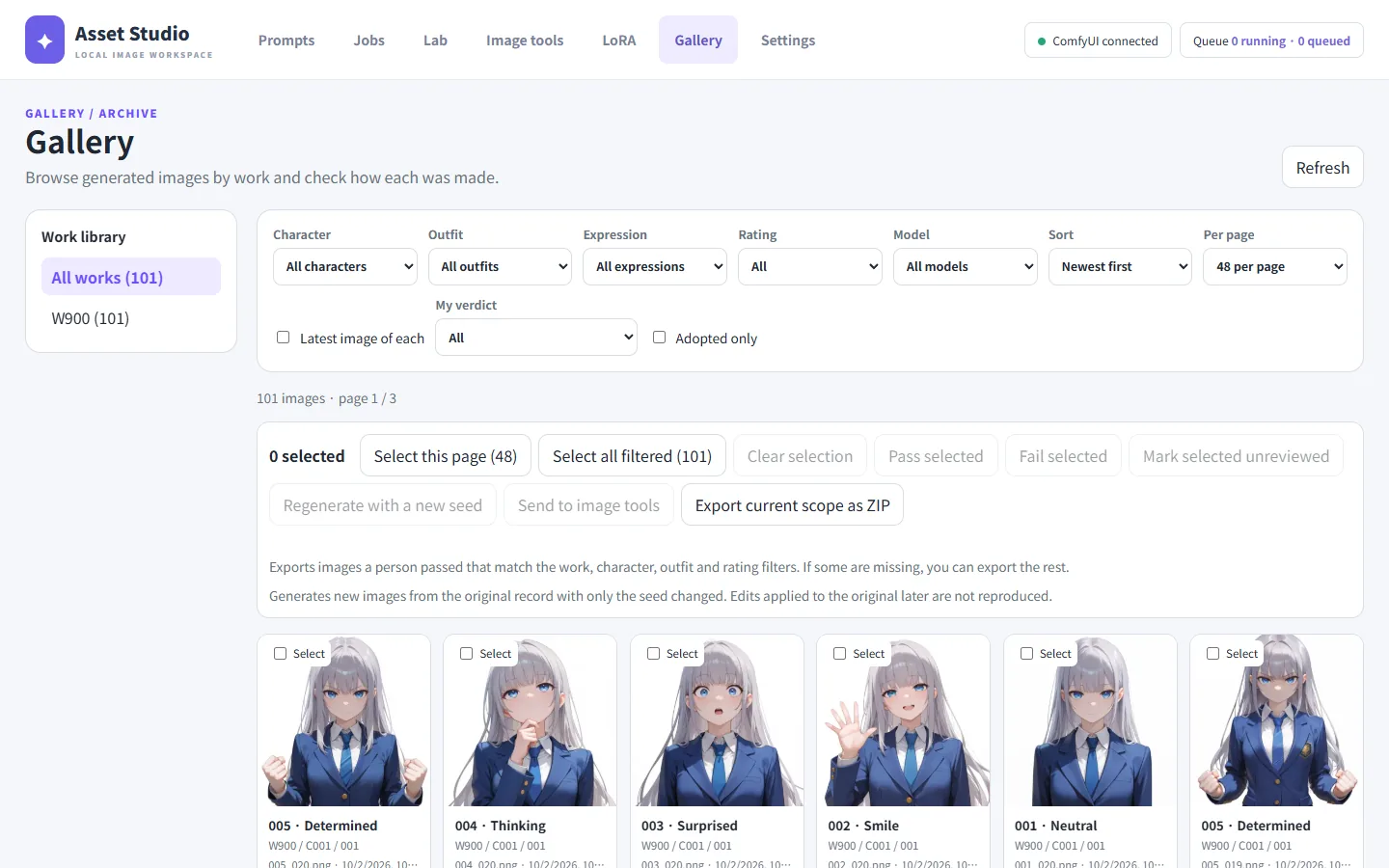
The Gallery shows every image under outputs/. Here you review images as pass or fail; passed images are what you export and train on.
Filtering and sorting
Filter by character, outfit, expression, rating (general / adult) and model family at the top.
- Latest image of each: only the newest image per expression.
- My verdict: only unreviewed, passed or failed images.
- Adopted only: only the one adopted image per expression.
When you come back to the gallery after generating, New images · refresh appears if images were added since your last visit.
Looking at an image
Click an image to open it large with its record on the right (model, seed, prompt, settings). Use ← / → to move and View at 100% for full size.
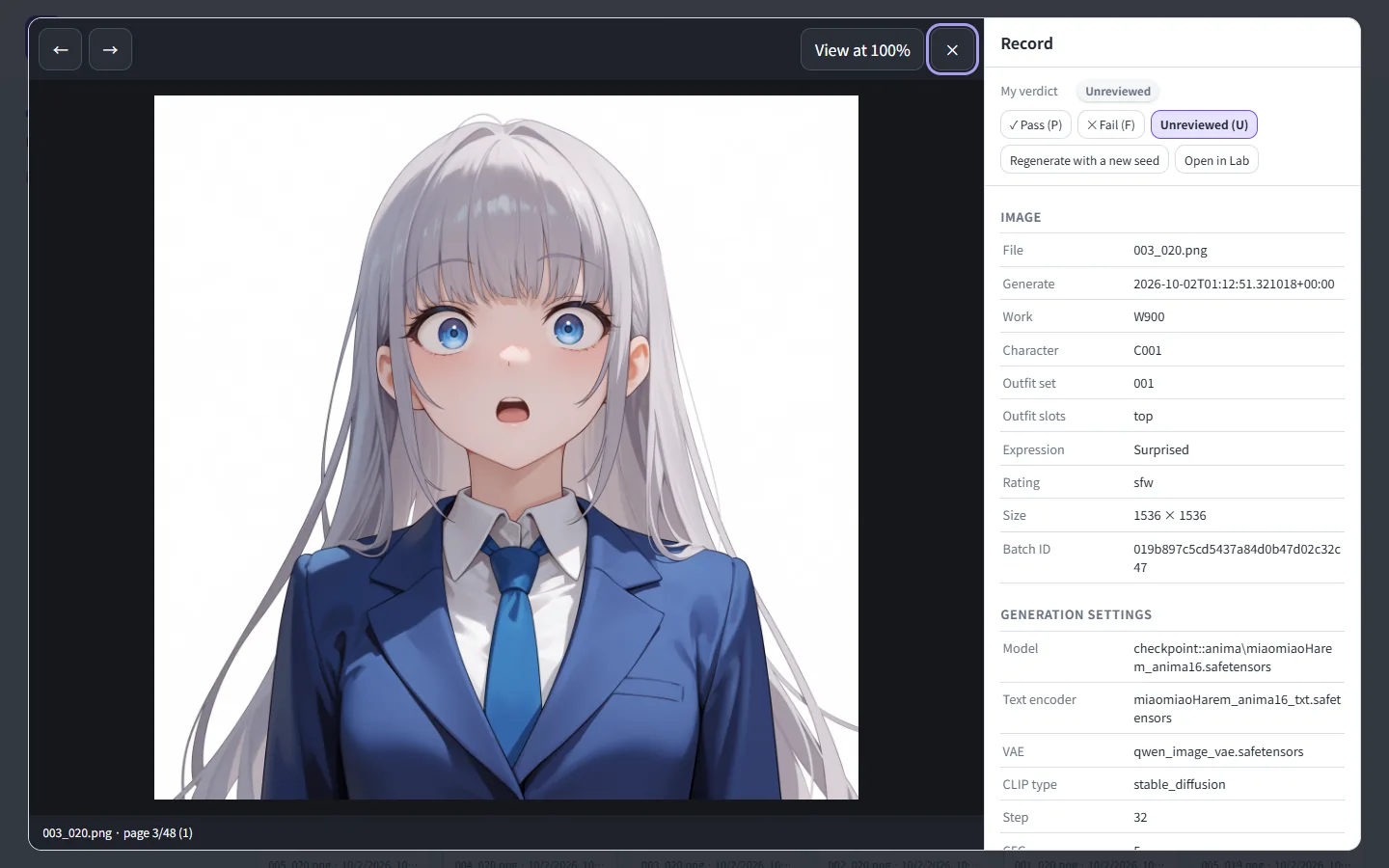
Review quickly from the keyboard: P pass, F fail, U unreviewed.
Review and adoption
Tick Select on the cards and press Pass selected or Fail selected to judge many at once.
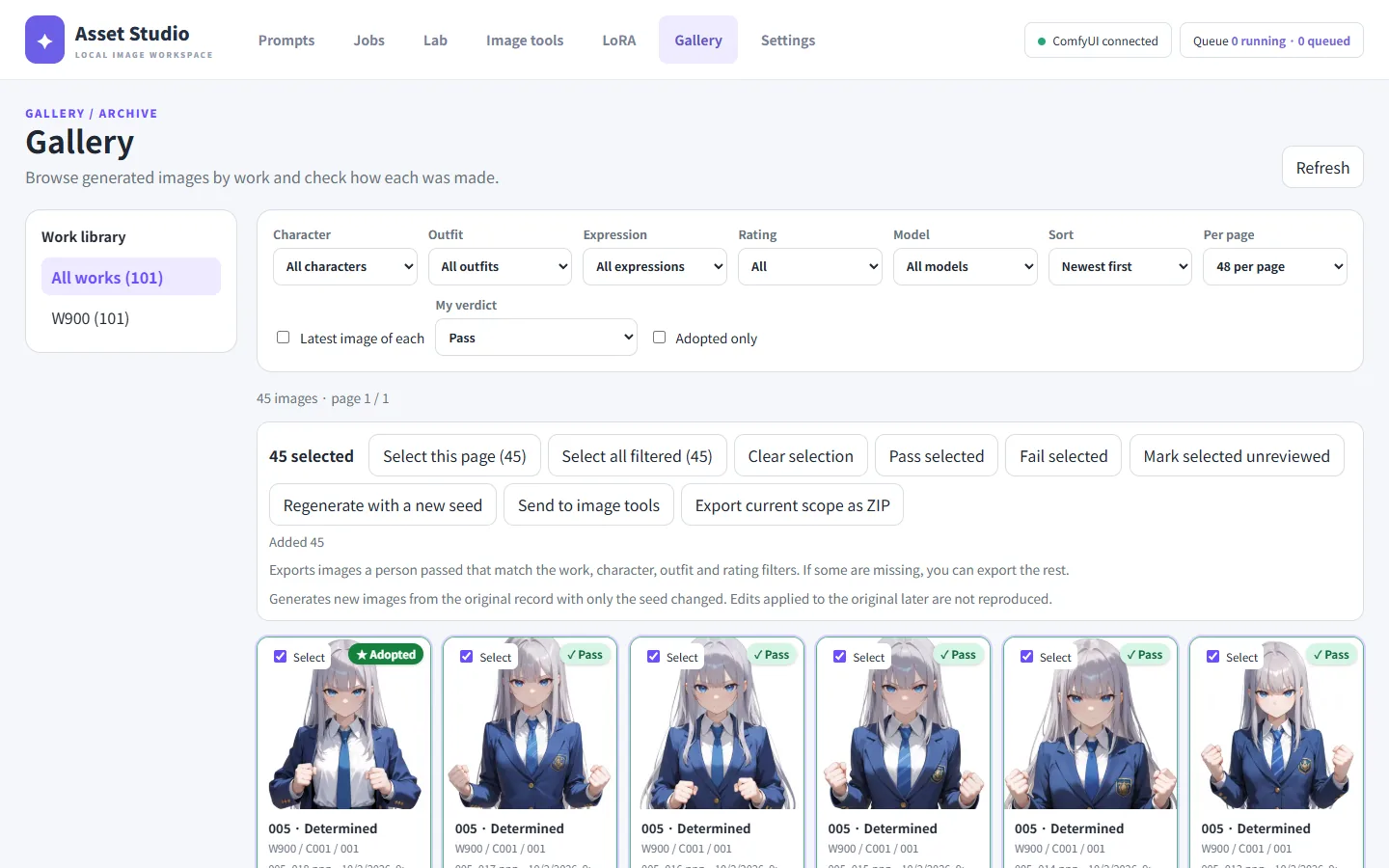
For each character, outfit and expression, one of the passed images is ★ Adopted (the one passed most recently). The adopted image represents that expression: ZIP export and the default LoRA dataset use it.
Regenerating
Regenerate with a new seed makes a new image from the chosen image's record with only the seed changed. Changes made later in the image tools are not reproduced.
Exporting
Export current scope as ZIP downloads the adopted image of each expression in the current filter as <work>/<character>/<outfit>/<expression>.png. If some expressions are missing it says so, and Export without the missing ones downloads what is there.
Sending to the image tools
Send the chosen images to the image tools for tagging, inpainting, background removal or censoring.